


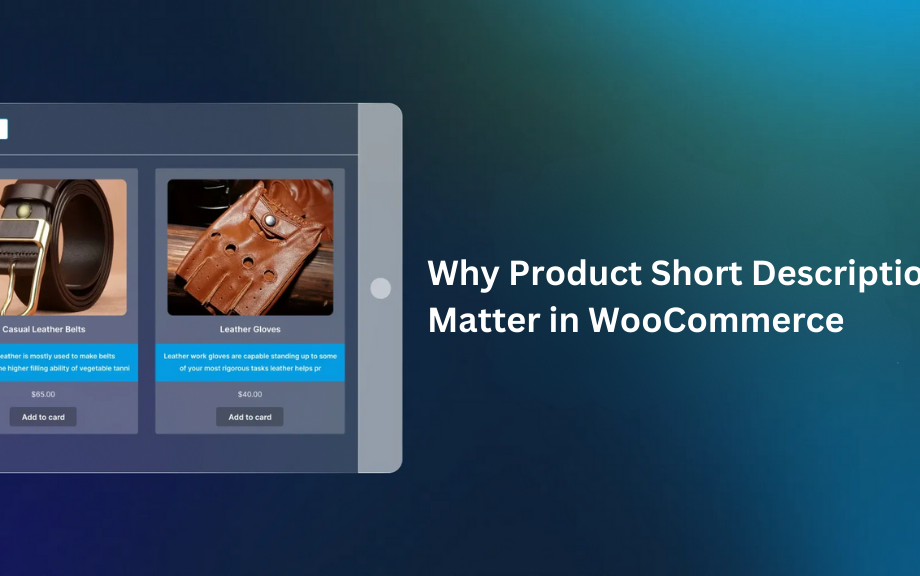
Did you know that 87% of shoppers say product descriptions significantly influence their purchase decisions? If your WooCommerce store isn’t converting visitors into buyers, your product descriptions might be the culprit. Crafting a compelling product description for WooCommerce isn’t just about listing features—it’s about telling a story, solving problems, and persuading customers to click “Add to Cart.” And with tools like the Extendons WooCommerce product description plugin, optimizing your content has never been easier.
In this guide, you’ll learn how to structure descriptions that grab attention, highlight benefits, and drive sales. Plus, we’ll explore how plugins can automate and enhance your workflow. Let’s dive in!
Why Product Descriptions Matter for Your WooCommerce Store
Your product page is your digital salesperson. It needs to answer questions, address doubts, and create desire. A well-written product description for WooCommerce does three things:
- Informs customers about what they’re buying.
- Engages them with relatable language.
- Persuades them to take action.
Without clear, persuasive descriptions, even the best products can get lost in the crowd.
Key Elements of a High-Converting WooCommerce Product Description
1. Start with a Strong Headline
Your headline should summarize the product’s value in seconds. For example:
- “Organic Bamboo Toothbrush: Eco-Friendly & Gentle on Your Gums”
2. Focus on Benefits, Not Just Features
Customers care about how your product improves their lives. Compare:
- Feature: “Stainless steel blade.”
- Benefit: “Slice through tough ingredients effortlessly with our rust-resistant stainless steel blade.”
3. Use Storytelling to Build Connection
Share how the product solves a problem. For instance:
“Tired of messy morning routines? Our spill-proof travel mug keeps your coffee hot and your commute stress-free.”
4. Optimize for SEO
Incorporate keywords like “product description WooCommerce” naturally. Avoid stuffing—Google rewards readability!
5. Add Social Proof
Include reviews, ratings, or testimonials to build trust.
How to Structure Your Product Descriptions for Maximum Clarity
H2: Break Content into Scannable Sections
Use subheadings, bullet points, and short paragraphs. For example:
H3: Product Overview
A brief introduction (2-3 sentences).
H3: Key Features & Benefits
Bullet points highlighting what makes the product unique.
H3: Technical Specifications
Size, materials, compatibility—keep it concise.
H3: How to Use/Who It’s For
Help customers visualize the product in their lives.
Boost Your Descriptions with the Extendons WooCommerce Product Description Plugin
Writing great descriptions is only half the battle—you also need to display them effectively. That’s where the Extendons WooCommerce product description plugin shines. This tool lets you customize how, where, and when descriptions appear on your store.
Key Features of the Plugin:
- Display Short Descriptions Everywhere: Show concise previews on shop, category, and tag pages.
- Set Character Limits: Keep descriptions tidy and consistent.
- Enhanced Text Editor: Bold, underline, or color-code text to emphasize key points.
- Customizable Alignment: Match descriptions to your store’s design effortlessly.
For example, if you sell handmade candles, you could use the plugin to:
- Show a 100-character teaser on category pages.
- Highlight “eco-friendly soy wax” in green text.
- Align descriptions to the center for a clean look.
FAQs: Your WooCommerce Product Description Questions, Answered
Q1: How does the WooCommerce product description plugin improve my store?
A: It helps you display short, engaging descriptions across your store (shop, category, and tag pages), making it easier for customers to browse without clicking into every product.
Q2: Can I customize the appearance of descriptions?
A: Absolutely! The Extendons plugin lets you adjust colors, alignment, fonts, and even add formatting like bold or underline.
Q3: What’s the ideal length for a product description?
A: Short descriptions should be 50-150 characters (use the plugin’s character limit tool). Long descriptions can be 300+ words but stay scannable.
Q4: How do I write SEO-friendly descriptions?
A: Use keywords naturally (e.g., “product description WooCommerce”), avoid jargon, and answer common customer questions.
Pro Tips for WooCommerce Sellers
- A/B Test Your Descriptions: Try different versions to see what resonates.
- Use High-Quality Images: Pair descriptions with visuals that reinforce your message.
- Update Regularly: Refresh old descriptions to keep content relevant.
Conclusion: Master Your Product Descriptions with Strategy + Tools
Great product description WooCommerce blend creativity and strategy. By focusing on benefits, structuring content clearly, and using tools like the Extendons WooCommerce product description plugin, you can turn casual browsers into loyal buyers.
Ready to upgrade your store? Start by auditing your current descriptions—then experiment with formatting, storytelling, and plugins to see what works. Your next bestseller might be just one edit away!
 :
:









