Introduction
Email is an important form of communication in both business and personal use. Different email clients use different file formats to store messages. Many email clients including Windows Live Mail, Mozilla Thunderbird and Outlook Express use the EML format. Microsoft Outlook on the other hand can only handle the MSG format.
You can check that everything functions smoothly, track your data or use Outlook advanced features. This post will demonstrate how to accomplish this process both manually and automatically on Windows, assuring a smooth and secure conversion.
Why Convert EML to MSG?
Before we begin it is important to understand why so many individuals need to convert EML to MSG files.
Outlook Compatibility
MSG files are only for Microsoft Outlook. If you move to Outlook you’ll have to convert your email client from EML to MSG.
Data Security and Organization
MSG files separate each message making email administration and archiving simple.
Advanced Outlook Features
Outlook provides more advanced capabilities than EML-based email apps such as better email management, thorough search and connectivity with other programs.
Manual Method: Converting EML to MSG
To use the manual technique, you must have Microsoft Outlook installed on your system. This method is useful if you simply have a few EML files to convert.
Step 1: Launch Outlook
Check that Outlook is properly installed and set up on your Windows.
Step 2: Find the EML File
Go to the folder containing EML files. These files are created by email clients like Thunderbird or Windows Live Mail.
Step 3: The Drag and Drop Method
- Open the folder that has the EML files.
- Select one EML file or more if necessary.
- You can move EML files to Outlook folders
Step 4: Save as MSG
- Select the emails that you imported into Outlook.
- Click “File,” then “Save As.”
- Select Unicode (*.msg) as the file format for Outlook messages.
- Select the folder where you want to save the file and then click “Save”.
Repeat these instructions for each EML file you wish to convert.
Manual Conversion Limitations
- Conversion may take longer when there are multiple files.
- Install and configure Outlook.
- If not managed properly, data may be lost accidentally.
- There is no method to convert this batch.
Automation Method: Use a Professional EML to MSG Converter
It is not possible to process hundreds or thousands of EML files manually. Using DataVare EML to MSG Converter software makes the process easier.
Features of EML to MSG Converter
- Batch conversion: You can convert several EML files at once.
- Data integrity: Maintains the structure of attachments, information and folders.
- User-friendly interface: Even those who are not technical experts can quickly complete the conversion.
- Fast and accurate: Saves time over manual procedures.
- Outlook is not required. Many tools do not require Outlook to work.
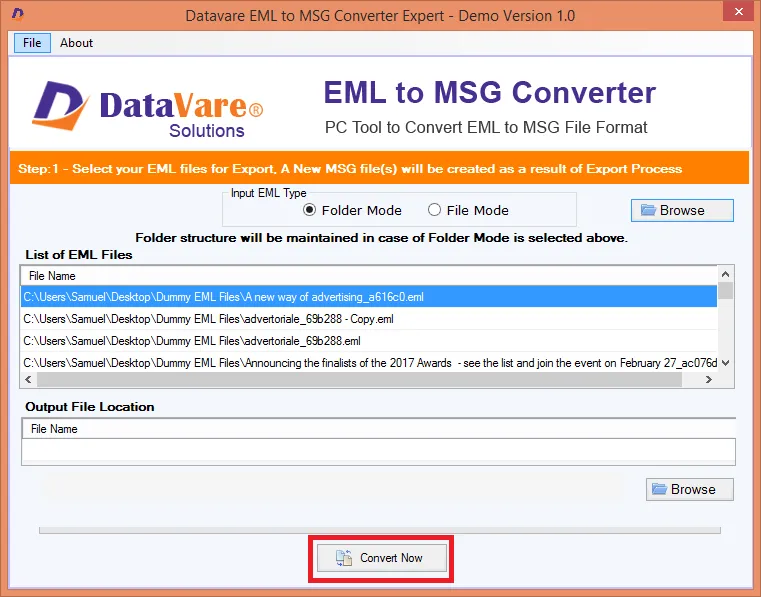
Steps to Convert Using Specialized Software
- Download and install the EML to MSG converter.
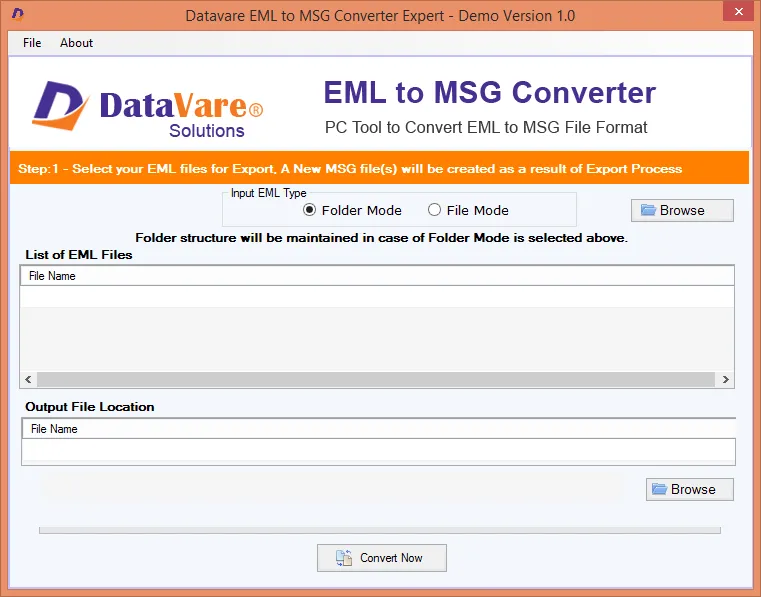
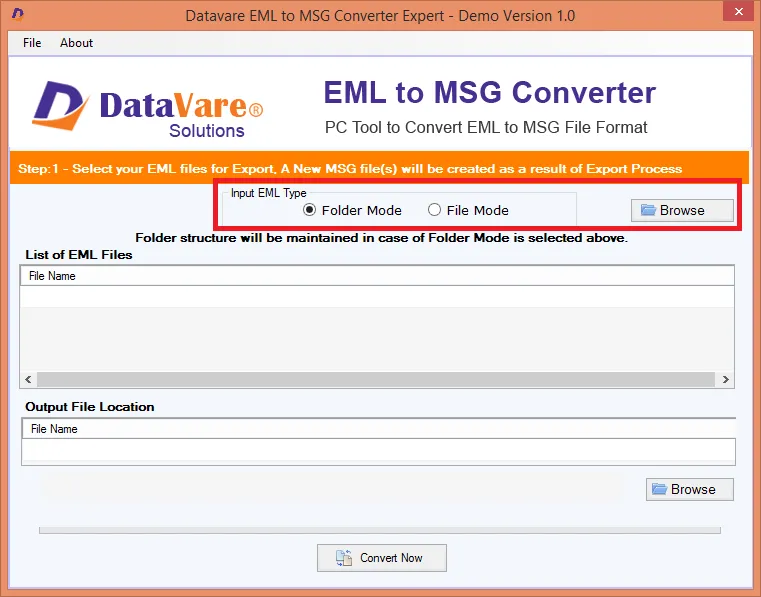
- Adding Files: To add EML files select either “Add File” or “Add Folder”.
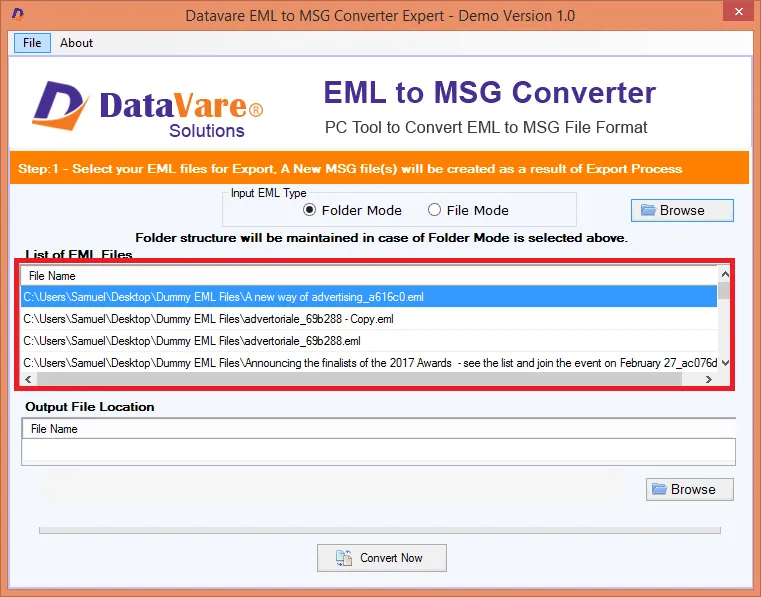
- Email Preview (Optional): Some applications let you preview emails before they are edited.
- Choose MSG as the output format.
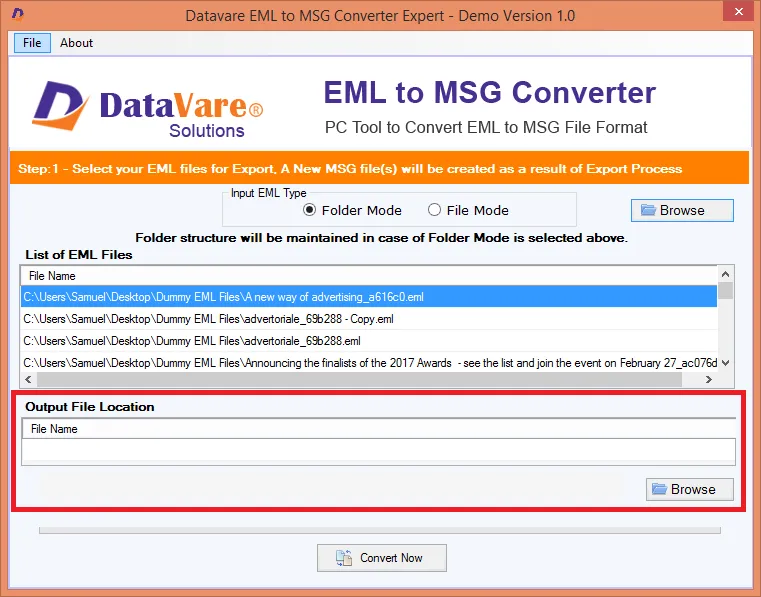
- Choose the destination path: Choose where to save the converted file.
- Click the Convert button. To begin the conversion click the Convert button and let the application process all files.
Tips for a Smooth Conversion
- Backup before conversion: Always back up your original EML file to prevent accidental loss.
- Check the version of your email client: Check that your Outlook version can open MSG files.
- Use trusted software: Avoid using free applications that can harm your data.
- Organize your files: Store your EML files in folders so they are easy to access when you need to convert them.
Conclusion
Converting EML files to MSG format on Windows is simple once you understand how. Manually converting a small number of files in Outlook is also an easy method. If you have a significant amount of data or need to convert files regularly utilizing a specialist tool like EML to MSG Converter is the safest option.
 :
https://www.pinterest.com/datavare/
:
https://www.pinterest.com/datavare/